Typografia
Rozloženie vášho obsahu
Na demonštračné účely tento tutoriál používa AbstractCard, aby boli príklady textu jasnejšie. Lepší spôsob na dosiahnutie rovnakých výsledkov by bolo použiť Kirigami Addons FormCard.
Nadpis
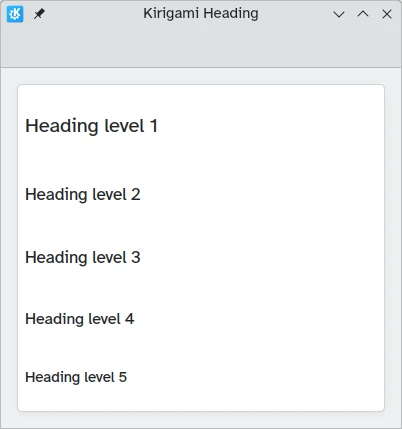
Kirigami poskytuje Heading, ktorý sa dá použiť pre nadpisy stránok alebo sekcií.
import QtQuick
import QtQuick.Layouts
import org.kde.kirigami as Kirigami

Kirigami.ApplicationWindow {
    title: "Kirigami Heading"
    height: 400
    width: 400

    pageStack.initialPage: Kirigami.Page {
        Kirigami.AbstractCard {
            anchors.fill: parent
            contentItem: ColumnLayout {
                anchors.fill: parent
                Kirigami.Heading {
                    text: "Heading level 1"
                    level: 1
                }
                Kirigami.Heading {
                    text: "Heading level 2"
                    level: 2
                }
                Kirigami.Heading {
                    text: "Heading level 3"
                    level: 3
                }
                Kirigami.Heading {
                    text: "Heading level 4"
                    level: 4
                }
                Kirigami.Heading {
                    text: "Heading level 5"
                    level: 5
                }
            }
        }
    }
}
Štítky
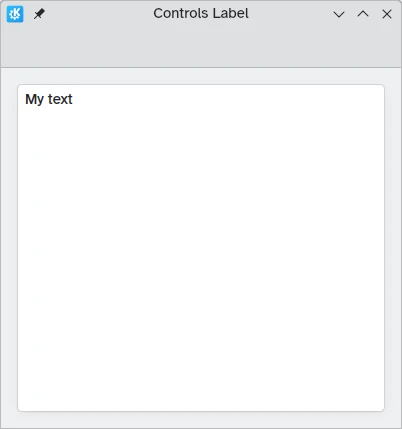
Textové prvky by mali používať komponent Label z QtQuick Controls 2.
import QtQuick
import QtQuick.Controls as Controls
import org.kde.kirigami as Kirigami

Kirigami.ApplicationWindow {
    title: "Controls Label"
    height: 400
    width: 400

    pageStack.initialPage: Kirigami.Page {
        Kirigami.AbstractCard {
            anchors.fill: parent
            contentItem: Controls.Label {
                    text: "My text"
            }
        }
    }
}
Zarovnanie textu
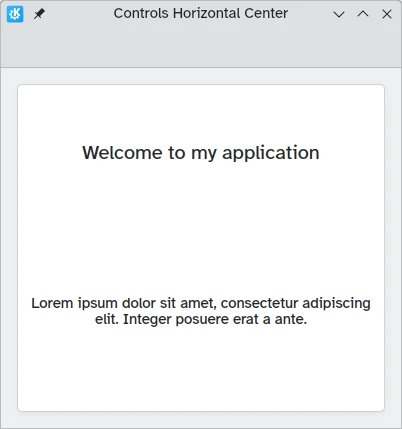
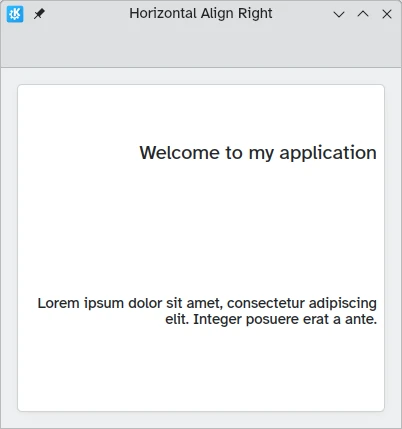
Svoje textové prvky môžete zarovnať pomocou vlastností horizontalAlignment a verticalAlignment.
import QtQuick
import QtQuick.Layouts
import QtQuick.Controls as Controls
import org.kde.kirigami as Kirigami

Kirigami.ApplicationWindow {
    title: "Controls Horizontal Center"
    height: 400
    width: 400

    pageStack.initialPage: Kirigami.Page {
        Kirigami.AbstractCard {
            anchors.fill: parent
            contentItem: ColumnLayout {
                Kirigami.Heading {
                    Layout.fillWidth: true
                    horizontalAlignment: Text.AlignHCenter
                    text: "Welcome to my application"
                    wrapMode: Text.Wrap
                }
                Controls.Label {
                    Layout.fillWidth: true
                    horizontalAlignment: Text.AlignHCenter
                    text: "Lorem ipsum dolor sit amet, consectetur adipiscing elit. Integer posuere erat a ante."
                    wrapMode: Text.Wrap
                }
            }
        }
    }
}
import QtQuick
import QtQuick.Layouts
import QtQuick.Controls as Controls
import org.kde.kirigami as Kirigami

Kirigami.ApplicationWindow {
    title: "Horizontal Align Right"
    height: 400
    width: 400

    pageStack.initialPage: Kirigami.Page {
        Kirigami.AbstractCard {
            anchors.fill: parent
            contentItem: ColumnLayout {
                Kirigami.Heading {
                    Layout.fillWidth: true
                    horizontalAlignment: Text.AlignRight
                    text: "Welcome to my application"
                    wrapMode: Text.Wrap
                }
                Controls.Label {
                    Layout.fillWidth: true
                    horizontalAlignment: Text.AlignRight
                    text: "Lorem ipsum dolor sit amet, consectetur adipiscing elit. Integer posuere erat a ante."
                    wrapMode: Text.Wrap
                }
            }
        }
    }
}
import QtQuick
import QtQuick.Layouts
import QtQuick.Controls as Controls
import org.kde.kirigami as Kirigami

Kirigami.ApplicationWindow {
    title: "Bottom and Top"
    height: 400
    width: 400

    pageStack.initialPage: Kirigami.Page {
        Kirigami.AbstractCard {
            anchors.fill: parent
            contentItem: ColumnLayout {
                Kirigami.Heading {
                    Layout.fillWidth: true
                    Layout.fillHeight: true
                    verticalAlignment: Text.AlignBottom
                    text: "Welcome to my application"
                    wrapMode: Text.WordWrap
                }
                Controls.Label {
                    Layout.fillWidth: true
                    Layout.fillHeight: true
                    verticalAlignment: Text.AlignTop
                    text: "Lorem ipsum dolor sit amet, consectetur adipiscing elit. Integer posuere erat a ante."
                    wrapMode: Text.WordWrap
                }
            }
        }
    }
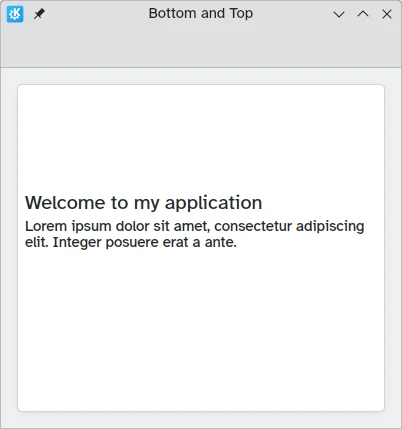
}
import QtQuick
import QtQuick.Layouts
import QtQuick.Controls as Controls
import org.kde.kirigami as Kirigami

Kirigami.ApplicationWindow {
    title: "Top and Bottom"
    height: 400
    width: 400

    pageStack.initialPage: Kirigami.Page {
        Kirigami.AbstractCard {
            anchors.fill: parent
            contentItem: ColumnLayout {
                Kirigami.Heading {
                    Layout.fillWidth: true
                    Layout.fillHeight: true
                    verticalAlignment: Text.AlignTop
                    text: "Welcome to my application"
                    wrapMode: Text.WordWrap
                }
                Controls.Label {
                    Layout.fillWidth: true
                    Layout.fillHeight: true
                    verticalAlignment: Text.AlignBottom
                    text: "Lorem ipsum dolor sit amet, consectetur adipiscing elit. Integer posuere erat a ante."
                    wrapMode: Text.WordWrap
                }
            }
        }
    }
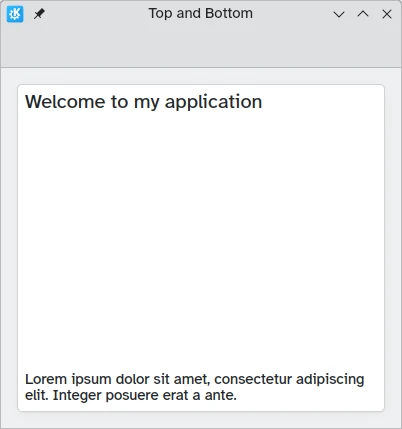
}
Rich Text
QML vám umožňuje zobrazovať (a upravovať) formátovaný text. Správanie sa dá ovládať cez vlastnosť textFormat.
import QtQuick
import QtQuick.Layouts
import QtQuick.Controls as Controls
import org.kde.kirigami as Kirigami

Kirigami.ApplicationWindow {
    title: "Controls Label with rich text"
    height: 400
    width: 400

    pageStack.initialPage: Kirigami.Page {
        Kirigami.AbstractCard {
            anchors.fill: parent
            contentItem: Controls.Label {
                text: "<p><strong>List of fruits to purchase</strong></p>
                <ul>
                <li>Apple</li>
                <li>Cherry</li>
                <li>Orange</li>
                <li><del>Banana</del></li>
                </ul>
                <p>Kris already got some bananas yesterday.</p>"
            }
        }
    }
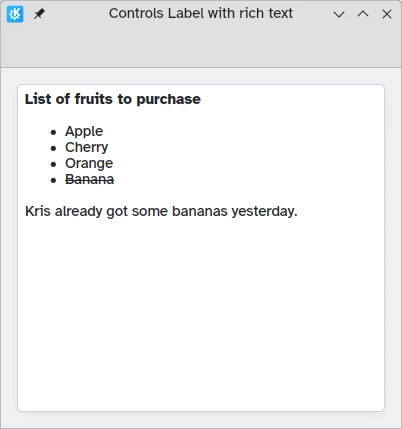
}
Téma
Veľkosť písma Kirigami.Theme je dostupná ako Kirigami.Theme.defaultFont.pointSize vo vašej aplikácii.