Spring naar inhoud

C++-modellen verbinden naar uw QML gebruikersinterface

Gegevens uit de C++-backend naar de QML-frontend

Zoals getoond in de vorige handleiding, kunt u C++ code verbinden met QML door een klasse aan te maken die behandeld zal worden als nog een component in QML. U zou echter meer gecompliceerde gegevens willen representeren, zoals gegevens die moeten acteren als een klant ListModel of op de een of andere manier gedelegeerd moeten worden uit een Repeater.

We kunnen onze eigen modellen aanmaken vanaf de C++ kant en declareren hoe de gegevens uit dat model gerepresenteerd moeten worden op de QML-frontend.

Het wordt sterk aangeraden dat u de handleiding Lijstweergaven leest voor deze.

De gebruikte code voor deze handleiding zal gebaseerd zijn op de vorige pagina, Verbindingslogica naar uw QML gebruikersinterface

Projectstructuur

kirigami-tutorial/
├── CMakeLists.txt --------------------- # Modified for didactic purposes
├── org.kde.tutorial.desktop
└── src/
    ├── CMakeLists.txt
    ├── main.cpp
    ├── Main.qml ----------------------- # Modified
    └── components/
        ├── CMakeLists.txt ------------- # Modified
        ├── AddDialog.qml
        ├── KountdownDelegate.qml
        ├── ExposePage.qml
        ├── ModelsPage.qml ------------- # New
        ├── model.h -------------------- # New
        ├── model.cpp ------------------ # New
        ├── backend.h
        └── backend.cpp

Een nieuwe pagina maken voor de modelhandleiding

Laten we, voordat we iets anders doen, een nieuwe pagina aan onze QML-code toevoegen.

Voeg eerst in src/Main.qml de volgende actie toe aan de globale lade:

15
16
17
18
19
20
21
22
23
24
25
26
27
28
29
30
31
32
33
34
35
    globalDrawer: Kirigami.GlobalDrawer {
        isMenu: true
        actions: [
            Kirigami.Action {
                text: i18n("Exposing to QML")
                icon.name: "kde"
                onTriggered: pageStack.push(Qt.createComponent("org.kde.tutorial.components", "ExposePage"))
            },
            Kirigami.Action {
                text: i18n("C++ models in QML")
                icon.name: "kde"
                onTriggered: pageStack.push(Qt.createComponent("org.kde.tutorial.components", "ModelsPage"))
            },
            Kirigami.Action {
                text: i18n("Quit")
                icon.name: "application-exit-symbolic"
                shortcut: StandardKey.Quit
                onTriggered: Qt.quit()
            }
        ]
    }

Maak dan een nieuw bestand src/components/ModelsPage.qml met de volgende inhoud:

1
2
3
4
5
6
7
8
9
import QtQuick
import QtQuick.Layouts
import QtQuick.Controls as Controls
import org.kde.kirigami as Kirigami

Kirigami.ScrollablePage {
    title: "C++ models in QML"
    // ...
}

En voeg het tenslotte toe aan src/components/CMakeLists.txt:

 1
 2
 3
 4
 5
 6
 7
 8
 9
10
11
12
13
14
15
16
17
18
19
20
21
22
23
add_library(kirigami-hello-components)

ecm_add_qml_module(kirigami-hello-components
    URI "org.kde.tutorial.components"
    GENERATE_PLUGIN_SOURCE
)

ecm_target_qml_sources(kirigami-hello-components
    SOURCES
    AddDialog.qml
    KountdownDelegate.qml
    ExposePage.qml
    ModelsPage.qml
)

target_sources(kirigami-hello-components
    PRIVATE
    backend.cpp backend.h
)

ecm_finalize_qml_module(kirigami-hello-components)

install(TARGETS kirigami-hello-components ${KDE_INSTALL_TARGETS_DEFAULT_ARGS})

Dit dient als werkveld voor deze handleidingpagina.

Ruwe tekenreeksen gebruiken

Om deze handleiding gemakkelijker te maken te begrijpen hoe het model wordt gevuld, schakelen we een functie uit die de KDE-toepassing die extra-cmake-modules (ECM) standaard gebruiken en die tekenreekscode optimaliseert. Hierdoor hoeven we niet telkens QStringLiteral() te schrijven wanneer een string in onze C++-code wordt geïntroduceerd, wat handig zal zijn voor de code in het aankomende headerbestand.

In de hoofdmap bestand CMakeLists.txt, voeg het volgende toe:

 1
 2
 3
 4
 5
 6
 7
 8
 9
10
11
12
13
14
15
16
17
18
19
20
21
22
23
24
25
26
27
28
29
30
31
32
33
34
35
36
37
cmake_minimum_required(VERSION 3.20)
project(kirigami-tutorial)

find_package(ECM 6.0.0 REQUIRED NO_MODULE)
set(CMAKE_MODULE_PATH ${ECM_MODULE_PATH})

include(KDEInstallDirs)
include(KDECMakeSettings)
include(KDECompilerSettings NO_POLICY_SCOPE)
include(ECMFindQmlModule)
include(ECMQmlModule)
remove_definitions(-DQT_NO_CAST_FROM_ASCII)

find_package(Qt6 REQUIRED COMPONENTS
    Core
    Quick
    Test
    Gui
    QuickControls2
    Widgets
)

find_package(KF6 REQUIRED COMPONENTS
    Kirigami
    I18n
    CoreAddons
    QQC2DesktopStyle
    IconThemes
)

ecm_find_qmlmodule(org.kde.kirigami REQUIRED)

add_subdirectory(src)

install(PROGRAMS org.kde.tutorial.desktop DESTINATION ${KDE_INSTALL_APPDIR})

feature_summary(WHAT ALL INCLUDE_QUIET_PACKAGES FATAL_ON_MISSING_REQUIRED_PACKAGES)

De klasse voorbereiden

We zullen een klasse aanmaken die een QMap bevat, waar een QString wordt gebruikt als een sleutel en objecten QStringList worden gebruikt als waarden. De frontent zal in staat zijn de sleutels en de waarden te lezen en te tonen en eenvoudig te gebruiken net als een een-dimensionaal array. Het zou er uit moeten zien als een QML-ListModel.

Om dit te doen moeten we een klasse maken die erft van QAbstractListModel. Laten we ook enige gegevens toevoegen aan de QMap. Deze declaraties zullen gelokaliseerd zijn in model.h.

Maak twee nieuwe bestanden aan: src/components/model.h en src/components/model.cpp.

Voeg deze twee nieuwe bestanden toe aan src/components/CMakeLists.txt:

 1
 2
 3
 4
 5
 6
 7
 8
 9
10
11
12
13
14
15
16
17
18
19
20
21
22
23
24
add_library(kirigami-hello-components)

ecm_add_qml_module(kirigami-hello-components
    URI "org.kde.tutorial.components"
    GENERATE_PLUGIN_SOURCE
)

ecm_target_qml_sources(kirigami-hello-components
    SOURCES
    AddDialog.qml
    KountdownDelegate.qml
    ExposePage.qml
    ModelsPage.qml
)

target_sources(kirigami-hello-components
    PRIVATE
    backend.cpp backend.h
    model.cpp model.h
)

ecm_finalize_qml_module(kirigami-hello-components)

install(TARGETS kirigami-hello-components ${KDE_INSTALL_TARGETS_DEFAULT_ARGS})

Voeg het volgende als de initiële inhoud toe aan src/components/model.h:

 1
 2
 3
 4
 5
 6
 7
 8
 9
10
11
12
13
14
15
16
17
#pragma once

#include <QAbstractListModel>
#include <qqmlintegration.h>

class Model : public QAbstractListModel {
    Q_OBJECT
    QML_ELEMENT
public:

private:
    QMap<QString, QStringList> m_list = {
            {"Feline", {"Tigress",   "Waai Fuu"}},
            {"Fox",    {"Carmelita", "Diane", "Krystal"}},
            {"Goat",   {"Sybil",     "Toriel"}}
    };
};

Natuurlijk kunnen we deze klasse niet gewoon tonen zoals deze is. We moeten aan QML ook vertellen hoe deze gegevens in de klasse te representeren. We kunnen dit doen door drie essentiële functies te overschrijven.

  • rowCount() - denk aan deze functie als een manier om QML te vertellen hoeveel items het model zou moeten representeren.
  • roleNames() - u kunt denken aan rolnamen als eigenschapnamen gekoppeld aan gegevens in QML. Deze functie biedt u het aanmaken van die rollen.
  • data() - deze functie wordt aangeroepen wanneer u de gegevens, die corresponderen met de rolnamen uit het model, wilt ophalen.

Overschrijven en implementeren rowCount()

Laten we de functie in het header-bestand src/components/model.h overschrijven. De rowCount() komt met zijn eigen parameter, maar het zal niet gebruikt worden in dit voorbeeld en dus hoeft het geen naam te hebben.

 1
 2
 3
 4
 5
 6
 7
 8
 9
10
11
12
13
14
15
16
17
18
#pragma once

#include <QAbstractListModel>
#include <qqmlintegration.h>

class Model : public QAbstractListModel {
    Q_OBJECT
    QML_ELEMENT
public:
    int rowCount(const QModelIndex &) const override;

private:
    QMap<QString, QStringList> m_list = {
            {"Feline", {"Tigress",   "Waai Fuu"}},
            {"Fox",    {"Carmelita", "Diane", "Krystal"}},
            {"Goat",   {"Sybil",     "Toriel"}}
    };
};

Laten we daarna declareren hoeveel rijen er in dit model in src/components/model.cpp zijn:

1
2
3
4
5
#include "model.h"

int Model::rowCount(const QModelIndex &) const {
    return m_list.count();
}

Overschrijven en implementeren roleNames()

Voordat we roleNames() overschrijven, moeten we declareren wat de rollen zijn aan de C++ kan met gebruik van een publieke enum. De reden hiervoor is omdat deze enum-waarden doorgegeven worden in data() elke keer dat QML toegang pakt tot een bijbehorende rol en als zodanig kunnen we data() terug laten geven wat we willen.

Laten we beginnen met de enum voor rollen aan te maken in src/components/model.h, waar elke waarde een rol is voor de C++ kant.

 1
 2
 3
 4
 5
 6
 7
 8
 9
10
11
12
13
14
15
16
17
18
19
20
21
22
23
24
#pragma once

#include <QAbstractListModel>
#include <qqmlintegration.h>

class Model : public QAbstractListModel {
    Q_OBJECT
    QML_ELEMENT
public:
    enum Roles {
        SpeciesRole = Qt::UserRole,
        CharactersRole
    };

    QHash<int, QByteArray> roleNames() const override;
    int rowCount(const QModelIndex &) const override;

private:
    QMap<QString, QStringList> m_list = {
            {"Feline", {"Tigress",   "Waai Fuu"}},
            {"Fox",    {"Carmelita", "Diane", "Krystal"}},
            {"Goat",   {"Sybil",     "Toriel"}}
    };
};

Nadat we dat hebben vastgesteld kunnen we tenslotte aanmaken wat deze rollen zijn aan de kant an QML met een QHash waar de sleutels de enumerated waarden zijn gepaard met QByteArrays. Dit zou gaan naar src/components/model.cpp. De tekst in de QByteArray is wat wordt gebruikt in de actuele QML code.

 1
 2
 3
 4
 5
 6
 7
 8
 9
10
11
12
#include "model.h"

int Model::rowCount(const QModelIndex &) const {
    return m_list.count();
}

QHash<int, QByteArray> Model::roleNames() const {
    return {
        {SpeciesRole,   "species"},
        {CharactersRole, "characters"}
    };
}

In ons voorbeeldmodel kan de rol "soorten" gebruikt worden om de QString-sleutel "Feline", "Fox", "Goat" op te halen, elk in een gescheiden gedelegeerde. Hetzelfde kan gedaan worden met de QStringList waarden voor de karakternamenlijst.

Overschrijven en implementeren data()

Er zijn twee parameters die doorgegeven worden aan data(): index en role. De index is de positie van de gegevens in het model. Zoals eerder gesteld, role wordt gebruikt door QML om specifieke gegevens terug te krijgen wanneer er toegang toe wordt gevraagd tot een rol.

In data() kunnen we een switch statement gebruiken om de toepasselijke gegevens en gegevenstype terug te geven afhankelijk van de rol, wat mogelijk is als data() een QVariant teruggeeft. We moeten echter nog steeds zeker maken dat we de toepasselijke locatie van de gegevens krijgen. In dit onderstaande voorbeeld kunt u zien dat een nieuwe iterator-variabele gedeclareerd wordt, die is gezet vanaf het begin van de lijst plus de rij van de index en de gegevens waar de iterator naar wijst is wat wordt teruggegeven.

We kunnen echter niet gewoon teruggeven welke gegevens dan ook die we willen. We kunnen proberen gegevens te binden aan een eigenschap met een niet compatibel type gegeven, zoals een QStringList aan een QString. U moet misschien conversie van gegevens doen om het gegeven juist weer te geven. Hiervoor maken we een nieuwe private, statische functie genaamd formatList().

Dit resulteert in de volgende code in src/components/model.cpp:

 1
 2
 3
 4
 5
 6
 7
 8
 9
10
11
12
13
14
15
16
17
18
19
20
21
22
23
24
25
26
27
28
29
30
31
32
33
34
35
#include "model.h"

int Model::rowCount(const QModelIndex &) const {
    return m_list.count();
}

QHash<int, QByteArray> Model::roleNames() const {
    return {
        {SpeciesRole,   "species"},
        {CharactersRole, "characters"}
    };
}

QVariant Model::data(const QModelIndex &index, int role) const {
    const auto it = std::next(m_list.begin(), index.row());
    switch (role) {
        case SpeciesRole:
            return it.key();
        case CharactersRole:
            return formatList(it.value());
        default:
            return {};
    }
}

QString Model::formatList(const QStringList& list) {
    QString result;
    for (const QString& character : list) {
        result += character;
        if (list.last() != character) {
            result += ", ";
        }
    }
    return result;
}

En de volgende code in src/components/model.h:

 1
 2
 3
 4
 5
 6
 7
 8
 9
10
11
12
13
14
15
16
17
18
19
20
21
22
23
24
25
#pragma once

#include <QAbstractListModel>
#include <qqmlintegration.h>

class Model : public QAbstractListModel {
    Q_OBJECT
    QML_ELEMENT
public:
    enum Roles {
        SpeciesRole = Qt::UserRole,
        CharactersRole
    };
    int rowCount(const QModelIndex &) const override;
    QHash<int, QByteArray> roleNames() const override;
    QVariant data(const QModelIndex &index, int role) const override;

private:
    QMap<QString, QStringList> m_list = {
        {"Feline", {"Tigress",   "Waai Fuu"}},
        {"Fox",    {"Carmelita", "Diane", "Krystal"}},
        {"Goat",   {"Sybil",     "Toriel"}}
    };
    static QString formatList(const QStringList& list);
};

Gebruik van klasse in QML

Het QML-bestand dat wordt gebruikt zal slechts drie Kirigami.AbstractCard componenten bevatten, waar de sleutel de kop is en de waarde de inhoud. Deze kaarten worden aangemaakt door het delegeren van AbstractCard met gebruik van een Repeater, waar het aangepaste model dat we aanmaakten als het model acteert. De toegang tot gegevens is via het woord model, gevolgd door de rollen gedeclareerd in roleNames().

 1
 2
 3
 4
 5
 6
 7
 8
 9
10
11
12
13
14
15
16
17
18
19
20
21
22
23
24
25
26
27
import QtQuick
import QtQuick.Layouts
import QtQuick.Controls as Controls
import org.kde.kirigami as Kirigami

Kirigami.ScrollablePage {
    title: "C++ models in QML"
    Model {
        id: customModel
    }
    ColumnLayout {
        anchors.left: parent.left
        anchors.right: parent.right
        Repeater {
            model: customModel
            delegate: Kirigami.AbstractCard {
                header: Kirigami.Heading {
                    text: model.species
                    level: 2
                }
                contentItem: Controls.Label {
                    text: model.characters
                }
            }
        }
    }
}
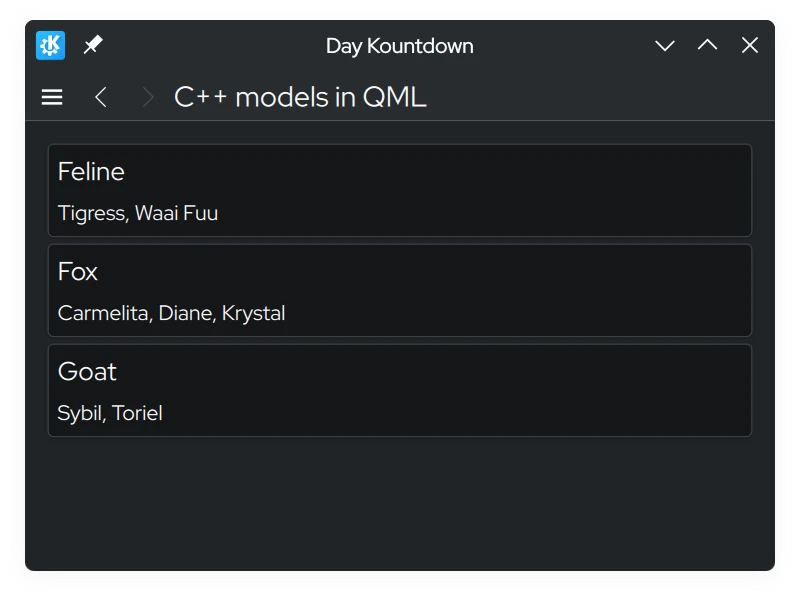
Een schermafbeelding van de C++-modellen in de QML-pagina met een lijst van kenmerken, georganiseerd per soort

Modificatie van gegevens

Gegevens bewerken met gebruik van dataChanged() en setData()

U kunt een situatie tegenkomen waar u de gegevens in het model wilt wijzigen en de wijzigingen gereflecteerd wilt zien aan de kant van de frontend. Elke keer dat we gegevens in het model wijzigen, moeten we het signaal dataChanged() uitzenden die die wijzigingen toepast aan de kant van het frontend in de specifieke cellen gespecificeerd in zijn argumenten. In deze handleiding, kunnen we gewoon het argument index van setData() gebruiken.

setData() is een virtuele functie die u kunt overschrijven zo dat wijzigen van de gegevens uit de kant van de frontend automatisch deze wijzigingen aan de kant van de backend reflecteert. Het vereist drie parameters:

  • index - de locatie van de gegevens.
  • waarde - de inhoud van de nieuwe gegevens.
  • role - in deze context, de rol hier wordt gebruikt om weergaven te vertellen hoe ze de gegevens zouden moeten behandelen. De rol hier zou moeten zijn Qt::EditRole.

De parameter role in dit geval wordt gebruikt om te verzekeren dat setData() kan worden bewerkt via invoer van de gebruiker (Qt::EditRole). Door index te gebruiken kunnen we dat gebruiken om de locatie te bepalen waar de gegevens zouden worden bewerkt met de inhoud van value.

 1
 2
 3
 4
 5
 6
 7
 8
 9
10
11
12
13
14
15
16
17
18
19
20
21
22
23
24
25
26
27
28
29
30
31
32
33
34
35
36
37
38
39
40
41
42
43
44
45
46
47
48
49
50
#include "model.h"

int Model::rowCount(const QModelIndex &) const {
    return m_list.count();
}

QHash<int, QByteArray> Model::roleNames() const {
    return {
        {SpeciesRole,   "species"},
        {CharactersRole, "characters"}
    };
}

QVariant Model::data(const QModelIndex &index, int role) const {
    const auto it = std::next(m_list.begin(), index.row());
    switch (role) {
        case SpeciesRole:
            return it.key();
        case CharactersRole:
            return formatList(it.value());
        default:
            return {};
    }
}

QString Model::formatList(const QStringList& list) {
    QString result;
    for (const QString& character : list) {
        result += character;
        if (list.last() != character) {
            result += ", ";
        }
    }
    return result;
}

bool Model::setData(const QModelIndex &index, const QVariant &value, int role) {
    if (!value.canConvert<QString>() && role != Qt::EditRole) {
        return false;
    }

    auto it = std::next(m_list.begin(), index.row());
    QString charactersUnformatted = value.toString();
    QStringList characters = charactersUnformatted.split(", ");

    m_list[it.key()] = characters;
    Q_EMIT dataChanged(index, index);

    return true;
}

Met de bijbehorende toevoeging in src/components/model.h:

 1
 2
 3
 4
 5
 6
 7
 8
 9
10
11
12
13
14
15
16
17
18
19
20
21
22
23
24
25
#pragma once

#include <QAbstractListModel>
#include <qqmlintegration.h>

class Model : public QAbstractListModel {
    Q_OBJECT
    QML_ELEMENT
public:
    enum Roles {
        SpeciesRole = Qt::UserRole,
        CharactersRole
    };
    int rowCount(const QModelIndex &) const override;
    QHash<int, QByteArray> roleNames() const override;
    QVariant data(const QModelIndex &index, int role) const override;
    bool setData(const QModelIndex &index, const QVariant &value, int role) override;
private:
    QMap<QString, QStringList> m_list = {
        {"Feline", {"Tigress",   "Waai Fuu"}},
        {"Fox",    {"Carmelita", "Diane", "Krystal"}},
        {"Goat",   {"Sybil",     "Toriel"}}
    };
    static QString formatList(const QStringList& list);
};

Laten we de QML-code bijwerken zodat we een prompt kunnen openen die ons biedt het model te bewerken met een Controls.Button aangekoppeld aan de kaarten.

Voeg de volgende Kirigami.PromptDialog toe aan de src/components/ModelsPage.qml, samen met een nieuwe bewerkingsknop:

 1
 2
 3
 4
 5
 6
 7
 8
 9
10
11
12
13
14
15
16
17
18
19
20
21
22
23
24
25
26
27
28
29
30
31
32
33
34
35
36
37
38
39
40
41
42
43
44
45
46
47
48
49
50
51
52
53
54
55
56
57
58
59
60
import QtQuick
import QtQuick.Layouts
import QtQuick.Controls as Controls
import org.kde.kirigami as Kirigami
import org.kde.tutorial.components

Kirigami.ScrollablePage {
    title: "C++ models in QML"
    Model {
        id: customModel
    }
    ColumnLayout {
        anchors.left: parent.left
        anchors.right: parent.right
        Repeater {
            model: customModel
            delegate: Kirigami.AbstractCard {
                Layout.fillHeight: true
                header: Kirigami.Heading {
                    text: model.species
                    level: 2
                }
                contentItem: Item {
                    implicitWidth: delegateLayout.implicitWidth
                    implicitHeight: delegateLayout.implicitHeight
                    ColumnLayout {
                        id: delegateLayout
                        Controls.Label {
                            text: model.characters
                        }
                        Controls.Button {
                            text: "Edit"
                            onClicked: {
                                editPrompt.text = model.characters;
                                editPrompt.model = model;
                                editPrompt.open();
                            }
                        }
                    }
                }
            }
        }
    }
    Kirigami.PromptDialog {
        id: editPrompt
        property var model
        property alias text: editPromptText.text
        title: "Edit Characters"
        standardButtons: Kirigami.Dialog.Ok | Kirigami.Dialog.Cancel
        onAccepted: {
            const model = editPrompt.model;
            model.characters = editPromptText.text;
            editPrompt.close();
        }
        Controls.TextField {
            id: editPromptText
            onAccepted: editPrompt.accept()
        }
    }
}

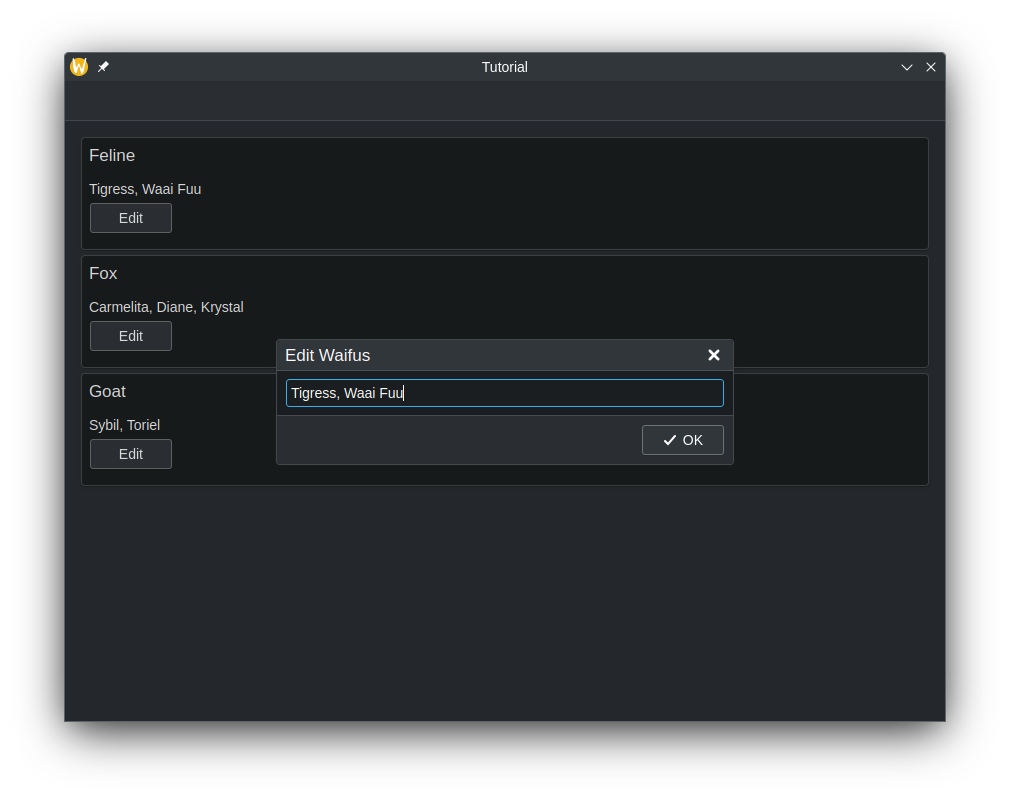
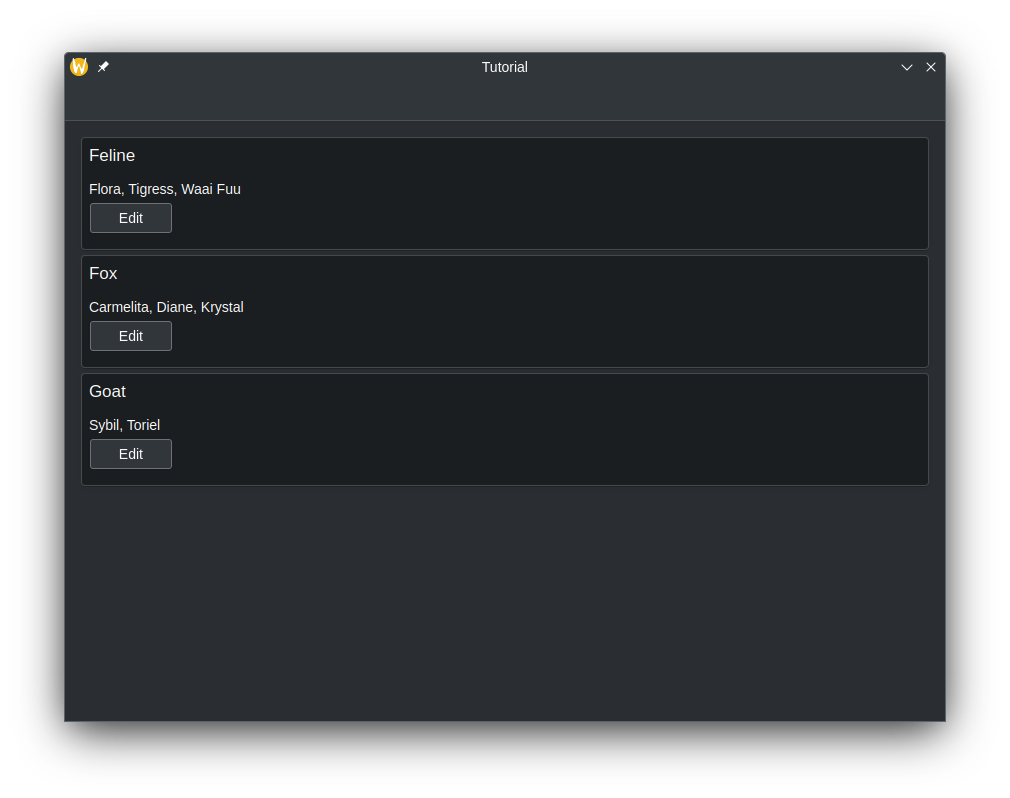
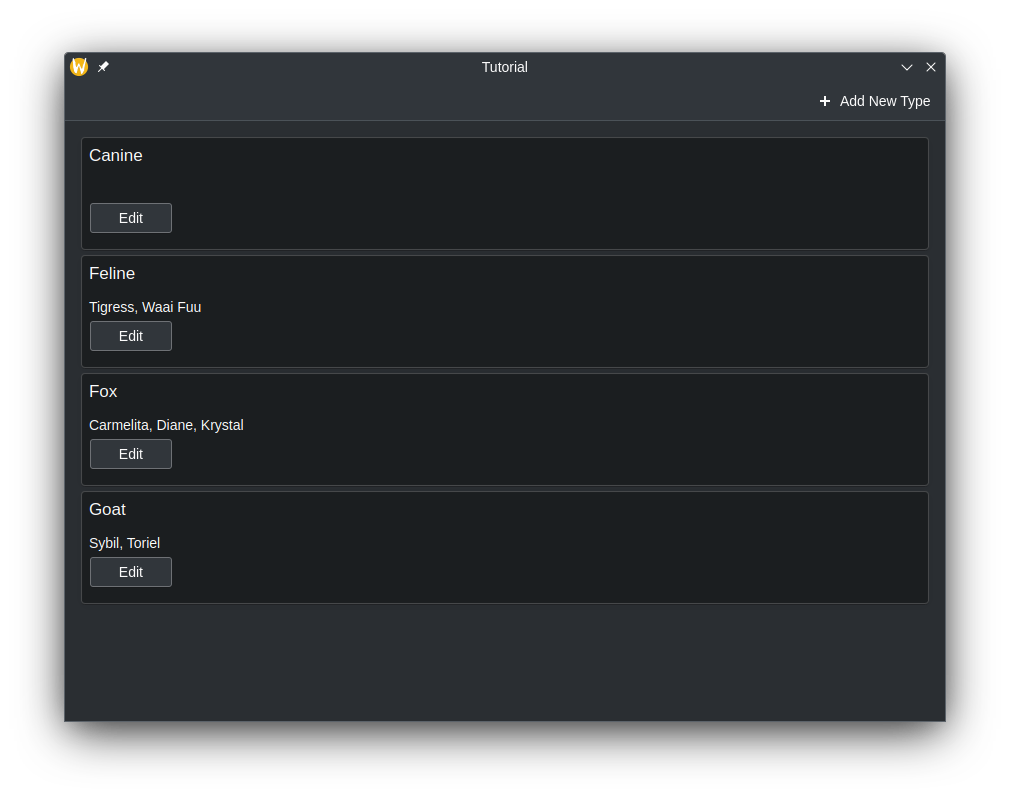
Nu, wanneer de waarden van het model in de frontend wijzigen, zouden de automatisch in de backend moeten worden bijgewerkt.

app_screenshot_1.png
app_screenshot_2.png

Het toevoegen van rijen

We hebben een manier toegevoegd om de gegevens te wijzigen in bestaande sleutels van de QMap en in de frontend, dit wordt gereflecteerd als wijzigen van de inhoud in de AbstractCards. Maar wat als we een nieuwe sleutelitem in de QMap willen toevoegen en dat gereflecteerd moet worden aan the QML-kant? Laten we dat doen door een nieuwe methode aan te maken die op te roepen is aan the QML-kant om deze taak uit te voeren.

Om de methode zichtbaar te maken in QML moeten we de methode declareren met macro Q_INVOKABLE. Deze methode zal ook een tekenreeksparameter omvatten, die bedoeld is om de nieuwe sleutel in de QMap te zijn.

 1
 2
 3
 4
 5
 6
 7
 8
 9
10
11
12
13
14
15
16
17
18
19
20
21
22
23
24
25
26
#pragma once

#include <QAbstractListModel>
#include <qqmlintegration.h>

class Model : public QAbstractListModel {
    Q_OBJECT
    QML_ELEMENT
public:
    enum Roles {
        SpeciesRole = Qt::UserRole,
        CharactersRole
    };
    int rowCount(const QModelIndex &) const override;
    QHash<int, QByteArray> roleNames() const override;
    QVariant data(const QModelIndex &index, int role) const override;
    Q_INVOKABLE void addSpecies(const QString &species);

private:
    QMap<QString, QStringList> m_list = {
        {"Feline", {"Tigress",   "Waai Fuu"}},
        {"Fox",    {"Carmelita", "Diane", "Krystal"}},
        {"Goat",   {"Sybil",     "Toriel"}}
    };
    static QString formatList(const QStringList& list);
};

Binnen deze methode moeten we aan Qt vertellen dat we meer rijen in het model aan willen maken. Dit wordt gedaan door beginInsertRows() aan te roepen om onze rij toevoegen te beginnen, gevolgd door in te voegen wat we nodig hebben, gebruik daarna endInsertRows() om de bewerking te beëindigen. We moeten echter nog steeds dataChanged() aan het einde uitsturen. Deze keer gaan we alle rijen bijwerken, vanaf de eerste rij tot de laatste omdat de QMap zichzelf alfabetisch zal reorganiseren en we dat over alle rijen moeten vangen.

Bij aanroepen van beginInsertRows() moeten we eerst een QModelIndex klasse doorgeven om te de locatie te specificeren waar de nieuwe rijen toegevoegd zouden moeten worden, gevolgd door wat de nieuwe eerste en laatste rijnummers gaan worden. In deze handleiding zal het eerste argument gewoon QModelIndex() zijn omdat er geen noodzaak is de parameter hier te gebruiken. We kunnen gewoon de huidige rijgrootte voor het eerste en laatste rijnummer gebruiken, omdat we eenvoudig één rij aan het eind van het model zullen toevoegen.

 1
 2
 3
 4
 5
 6
 7
 8
 9
10
11
12
13
14
15
16
17
18
19
20
21
22
23
24
25
26
27
28
29
30
31
32
33
34
35
36
37
38
39
40
41
42
43
44
45
46
47
48
49
50
51
52
53
54
55
56
57
#include "model.h"

int Model::rowCount(const QModelIndex &) const {
    return m_list.count();
}

QHash<int, QByteArray> Model::roleNames() const {
    return {
        {SpeciesRole,   "species"},
        {CharactersRole, "characters"}
    };
}

QVariant Model::data(const QModelIndex &index, int role) const {
    const auto it = std::next(m_list.begin(), index.row());
    switch (role) {
        case SpeciesRole:
            return it.key();
        case CharactersRole:
            return formatList(it.value());
        default:
            return {};
    }
}

QString Model::formatList(const QStringList& list) {
    QString result;
    for (const QString& character : list) {
        result += character;
        if (list.last() != character) {
            result += ", ";
        }
    }
    return result;
}

bool Model::setData(const QModelIndex &index, const QVariant &value, int role) {
    if (!value.canConvert<QString>() && role != Qt::EditRole) {
        return false;
    }

    auto it = std::next(m_list.begin(), index.row());
    QString charactersUnformatted = value.toString();
    QStringList characters = charactersUnformatted.split(", ");

    m_list[it.key()] = characters;
    Q_EMIT dataChanged(index, index);

    return true;
}

void Model::addSpecies(const QString& species) {
    beginInsertRows(QModelIndex(), m_list.size() - 1, m_list.size() - 1);
    m_list.insert(species, {});
    endInsertRows();
    Q_EMIT dataChanged(index(0), index(m_list.size() - 1));
}

Laten we de QML code bijwerken zodat we de mogelijkheid geven om een nieuwe sleutel aan de QMap toe te voegen.

 1
 2
 3
 4
 5
 6
 7
 8
 9
10
11
12
13
14
15
16
17
18
19
20
21
22
23
24
25
26
27
28
29
30
31
32
33
34
35
36
37
38
39
40
41
42
43
import QtQuick
import QtQuick.Layouts
import QtQuick.Controls as Controls
import org.kde.kirigami as Kirigami
import org.kde.tutorial.components

Kirigami.ScrollablePage {
    title: "C++ models in QML"
    actions: [
        Kirigami.Action {
            icon.name: "list-add-symbolic"
            text: "Add New Species"
            onTriggered: {
                addPrompt.open();
            }
        }
    ]
    Model {
        id: customModel
    }
    ColumnLayout {
    // ...
    }
    Kirigami.PromptDialog {
        id: addPrompt
        title: "Add New Species"
        standardButtons: Kirigami.Dialog.Ok
        onAccepted: {
            customModel.addSpecies(addPromptText.text);
            addPromptText.text = ""; // Clear TextField every time it's done
            addPrompt.close();
        }
        Controls.TextField {
            id: addPromptText
            Layout.fillWidth: true
            onAccepted: addPrompt.accept()
        }
    }
    Kirigami.PromptDialog {
        id: editPrompt
        // ...
    }
}

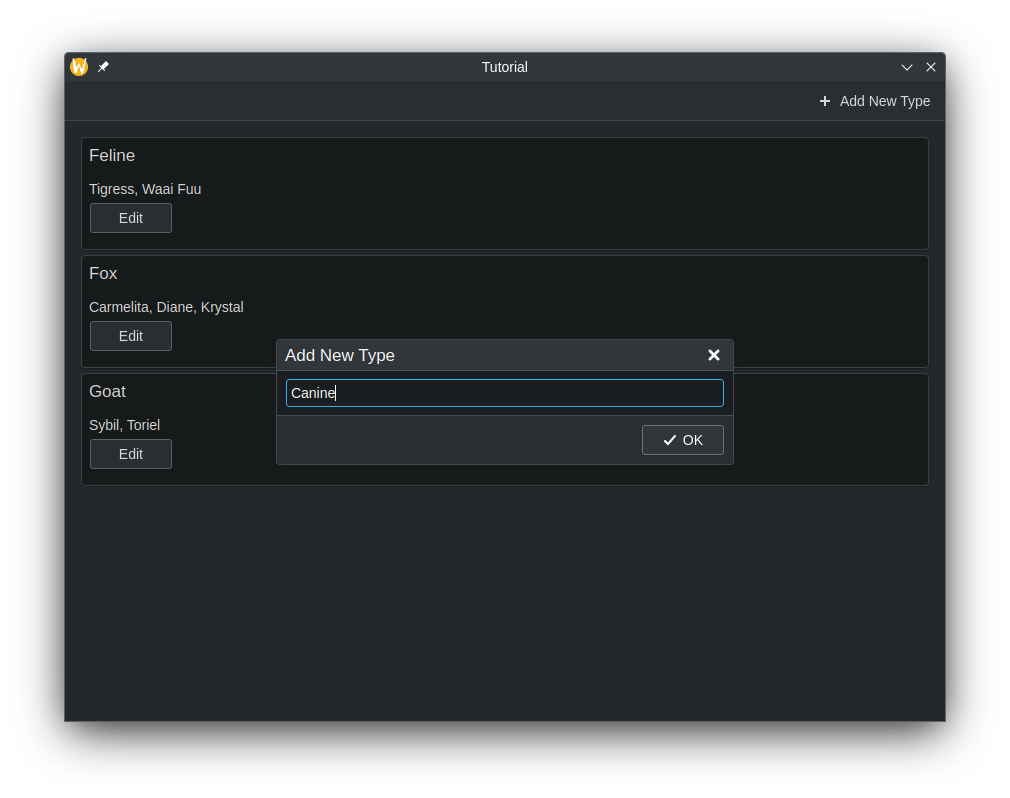
Nu zouden een nieuwe actie bovenaan de toepassing moeten geven die een prompt laat verschijnen waarmee een nieuw element aan het model kan worden toegevoegd, met onze eigen aangepaste gegevens.

app_screenshot_add_1.png
app_screenshot_add_2.png

Rijen verwijderen

De manier om rijen te verwijderen is gelijk aan rijen toevoegen. Laten we een andere methode aanmaken die we in QML zullen aanroepen. Deze keer zullen we een extra parameter gebruiken en dat is een geheel getal die het rijnummer is. De naam ervan wordt gebruikt om de sleutel uit de QMap te verwijderen, terwijl het rijnummer gebruikt zal worden om de rij in de frontend te verwijderen.

Voeg een nieuwe Q_INVOKABLE-functie met de naam deleteSpecies() toe in src/components/model.h:

 1
 2
 3
 4
 5
 6
 7
 8
 9
10
11
12
13
14
15
16
17
18
19
20
21
22
23
24
25
26
27
#pragma once

#include <QAbstractListModel>
#include <qqmlintegration.h>

class Model : public QAbstractListModel {
    Q_OBJECT
    QML_ELEMENT
public:
    enum Roles {
        SpeciesRole = Qt::UserRole,
        CharactersRole
    };
    int rowCount(const QModelIndex &) const override;
    QHash<int, QByteArray> roleNames() const override;
    QVariant data(const QModelIndex &index, int role) const override;
    Q_INVOKABLE void addSpecies(const QString &species);
    Q_INVOKABLE void deleteSpecies(const QString &speciesName, const int &rowIndex);

private:
    QMap<QString, QStringList> m_list = {
        {"Feline", {"Tigress",   "Waai Fuu"}},
        {"Fox",    {"Carmelita", "Diane", "Krystal"}},
        {"Goat",   {"Sybil",     "Toriel"}}
    };
    static QString formatList(const QStringList& list);
};

Met een overeenkomstige implementatie in src/components/model.cpp:

 1
 2
 3
 4
 5
 6
 7
 8
 9
10
11
12
13
14
15
16
17
18
19
20
21
22
23
24
25
26
27
28
29
30
31
32
33
34
35
36
37
38
39
40
41
42
43
44
45
46
47
48
49
50
51
52
53
54
55
56
57
58
59
60
61
62
63
64
#include "model.h"

int Model::rowCount(const QModelIndex &) const {
    return m_list.count();
}

QHash<int, QByteArray> Model::roleNames() const {
    return {
        {SpeciesRole,   "species"},
        {CharactersRole, "characters"}
    };
}

QVariant Model::data(const QModelIndex &index, int role) const {
    const auto it = std::next(m_list.begin(), index.row());
    switch (role) {
        case SpeciesRole:
            return it.key();
        case CharactersRole:
            return formatList(it.value());
        default:
            return {};
    }
}

QString Model::formatList(const QStringList& list) {
    QString result;
    for (const QString& character : list) {
        result += character;
        if (list.last() != character) {
            result += ", ";
        }
    }
    return result;
}

bool Model::setData(const QModelIndex &index, const QVariant &value, int role) {
    if (!value.canConvert<QString>() && role != Qt::EditRole) {
        return false;
    }

    auto it = std::next(m_list.begin(), index.row());
    QString charactersUnformatted = value.toString();
    QStringList characters = charactersUnformatted.split(", ");

    m_list[it.key()] = characters;
    Q_EMIT dataChanged(index, index);

    return true;
}

void Model::addSpecies(const QString& species) {
    beginInsertRows(QModelIndex(), m_list.size() - 1, m_list.size() - 1);
    m_list.insert(species, {});
    endInsertRows();
    Q_EMIT dataChanged(index(0), index(m_list.size() - 1));
}

void Model::deleteSpecies(const QString &speciesName, const int& rowIndex) {
    beginRemoveRows(QModelIndex(), rowIndex, rowIndex);
    m_list.remove(speciesName);
    endRemoveRows();
    Q_EMIT dataChanged(index(0), index(m_list.size() - 1));
}

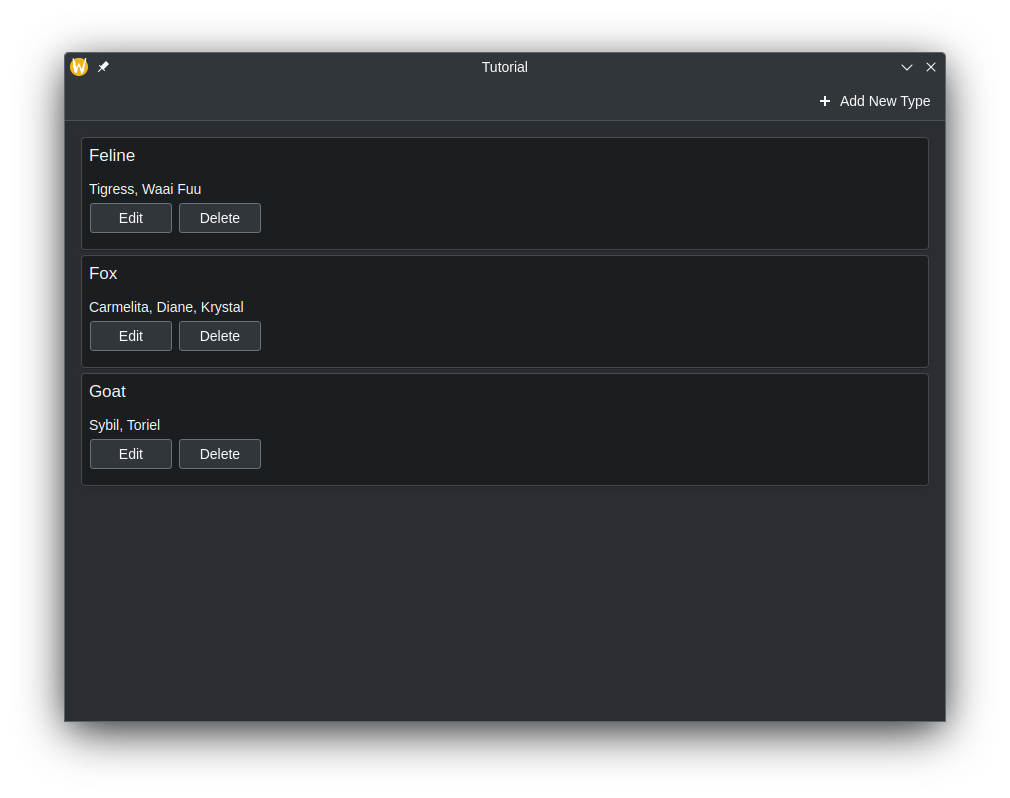
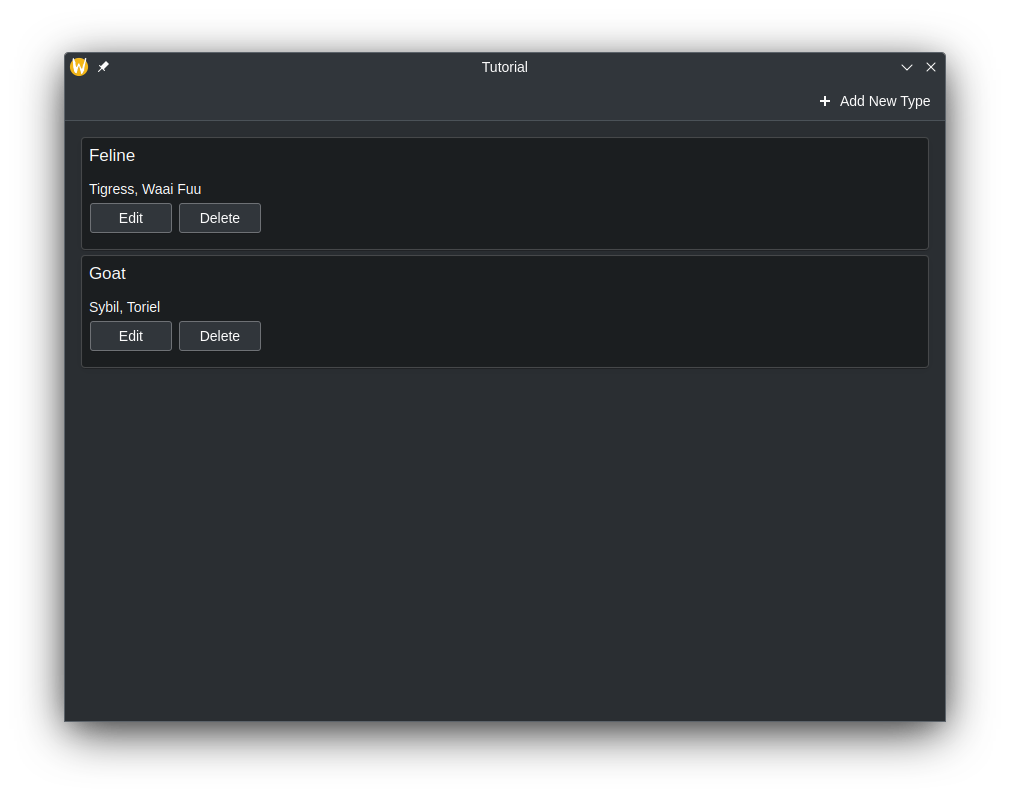
Laten we nu de toepassing bijwerken zodat een knop "Verwijderen" in een RowLayout verschijnt naast de knop Bewerken, binnen onze AbstractCard en verbindt het met uw methode voor verwijderen.

24
25
26
27
28
29
30
31
32
33
34
35
36
37
38
39
40
41
42
43
44
45
46
47
48
49
50
51
52
53
54
55
56
57
58
59
60
        Repeater {
            model: customModel
            delegate: Kirigami.AbstractCard {
                Layout.fillHeight: true
                header: Kirigami.Heading {
                    text: model.species
                    level: 2
                }
                contentItem: Item {
                    implicitWidth: delegateLayout.implicitWidth
                    implicitHeight: delegateLayout.implicitHeight
                    ColumnLayout {
                        id: delegateLayout
                        Controls.Label {
                            text: model.characters
                        }
                        RowLayout {
                            Layout.fillWidth: true
                            Controls.Button {
                                text: "Edit"
                                onClicked: {
                                    editPrompt.text = model.characters;
                                    editPrompt.model = model;
                                    editPrompt.open();
                                }
                            }
                            Controls.Button {
                                text: "Delete"
                                onClicked: {
                                    customModel.deleteSpecies(model.species, index);
                                }
                            }
                        }
                    }
                }
            }
        }
app_screenshot_del_1.png
app_screenshot_del_2.png

Onze toepassing (app) tot zover

Bestaande code:

src/CMakeLists.txt
 1
 2
 3
 4
 5
 6
 7
 8
 9
10
11
12
13
14
15
16
17
18
19
20
21
22
23
24
25
26
27
28
29
30
31
32
33
add_executable(kirigami-hello)

ecm_add_qml_module(kirigami-hello
    URI
    org.kde.tutorial
)

target_sources(kirigami-hello
    PRIVATE
    main.cpp
)

ecm_target_qml_sources(kirigami-hello
    SOURCES
    Main.qml
)

target_link_libraries(kirigami-hello
    PRIVATE
    Qt6::Quick
    Qt6::Qml
    Qt6::Gui
    Qt6::QuickControls2
    Qt6::Widgets
    KF6::I18n
    KF6::CoreAddons
    KF6::IconThemes
    kirigami-hello-components
)

install(TARGETS kirigami-hello ${KDE_INSTALL_TARGETS_DEFAULT_ARGS})

add_subdirectory(components)
src/main.cpp
 1
 2
 3
 4
 5
 6
 7
 8
 9
10
11
12
13
14
15
16
17
18
19
20
21
22
23
24
25
26
27
28
29
30
31
32
33
34
35
#include <QApplication>
#include <QQmlApplicationEngine>
#include <QtQml>
#include <QUrl>
#include <QQuickStyle>
#include <KLocalizedContext>
#include <KLocalizedString>
#include <KIconTheme>

int main(int argc, char *argv[])
{
    KIconTheme::initTheme();
    QApplication app(argc, argv);
    KLocalizedString::setApplicationDomain("tutorial");
    QApplication::setOrganizationName(QStringLiteral("KDE"));
    QApplication::setOrganizationDomain(QStringLiteral("kde.org"));
    QApplication::setApplicationName(QStringLiteral("Kirigami Tutorial"));
    QApplication::setDesktopFileName(QStringLiteral("org.kde.tutorial"));

    QApplication::setStyle(QStringLiteral("breeze"));
    if (qEnvironmentVariableIsEmpty("QT_QUICK_CONTROLS_STYLE")) {
        QQuickStyle::setStyle(QStringLiteral("org.kde.desktop"));
    }

    QQmlApplicationEngine engine;

    engine.rootContext()->setContextObject(new KLocalizedContext(&engine));
    engine.loadFromModule("org.kde.tutorial", "Main");

    if (engine.rootObjects().isEmpty()) {
        return -1;
    }

    return app.exec();
}
src/components/KountdownDelegate.qml
 1
 2
 3
 4
 5
 6
 7
 8
 9
10
11
12
13
14
15
16
17
18
19
20
21
22
23
24
25
26
27
28
29
30
31
32
33
34
35
36
37
38
39
40
41
42
43
44
45
46
47
48
49
50
import QtQuick
import QtQuick.Layouts
import QtQuick.Controls as Controls
import org.kde.kirigami as Kirigami

Kirigami.AbstractCard {
    contentItem: Item {
        implicitWidth: delegateLayout.implicitWidth
        implicitHeight: delegateLayout.implicitHeight
        GridLayout {
            id: delegateLayout
            anchors {
                left: parent.left
                top: parent.top
                right: parent.right
            }
            rowSpacing: Kirigami.Units.largeSpacing
            columnSpacing: Kirigami.Units.largeSpacing
            columns: root.wideScreen ? 4 : 2

            Kirigami.Heading {
                level: 1
                text: i18n("%1 days", Math.round((date-Date.now())/86400000))
            }

            ColumnLayout {
                Kirigami.Heading {
                    Layout.fillWidth: true
                    level: 2
                    text: name
                }
                Kirigami.Separator {
                    Layout.fillWidth: true
                    visible: description.length > 0
                }
                Controls.Label {
                    Layout.fillWidth: true
                    wrapMode: Text.WordWrap
                    text: description
                    visible: description.length > 0
                }
            }
            Controls.Button {
                Layout.alignment: Qt.AlignRight
                Layout.columnSpan: 2
                text: i18n("Edit")
            }
        }
    }
}
src/components/AddDialog.qml
 1
 2
 3
 4
 5
 6
 7
 8
 9
10
11
12
13
14
15
16
17
18
19
20
21
22
23
24
25
26
27
28
29
30
31
32
33
34
35
36
37
38
39
40
41
42
43
44
45
46
47
48
49
50
51
52
53
54
55
56
57
58
59
import QtQuick
import QtQuick.Layouts
import QtQuick.Controls as Controls
import org.kde.kirigami as Kirigami

Kirigami.Dialog {
    id: addDialog
    title: i18nc("@title:window", "Add kountdown")
    standardButtons: Kirigami.Dialog.Ok | Kirigami.Dialog.Cancel
    padding: Kirigami.Units.largeSpacing
    preferredWidth: Kirigami.Units.gridUnit * 20

    Kirigami.FormLayout {
        Controls.TextField {
            id: nameField
            Kirigami.FormData.label: i18nc("@label:textbox", "Name*:")
            onAccepted: descriptionField.forceActiveFocus()
        }
        Controls.TextField {
            id: descriptionField
            Kirigami.FormData.label: i18nc("@label:textbox", "Description:")
            onAccepted: dateField.forceActiveFocus()
        }
        Controls.TextField {
            id: dateField
            Kirigami.FormData.label: i18nc("@label:textbox", "ISO Date*:")
            inputMask: "D999-99-99"
            onAccepted: addDialog.accepted()
        }
        Controls.Label {
            text: "* = required fields"
        }
    }
    Component.onCompleted: {
        const button = standardButton(Kirigami.Dialog.Ok);
        button.enabled = Qt.binding( () => requiredFieldsFilled() );
    }
    onAccepted: {
        if (!addDialog.requiredFieldsFilled()) return;
        appendDataToModel();
        clearFieldsAndClose();
    }
    function requiredFieldsFilled() {
        return (nameField.text !== "" && dateField.acceptableInput);
    }
    function appendDataToModel() {
        kountdownModel.append({
            name: nameField.text,
            description: descriptionField.text,
            date: new Date(dateField.text)
        });
    }
    function clearFieldsAndClose() {
        nameField.text = ""
        descriptionField.text = ""
        dateField.text = ""
        addDialog.close();
    }
}
src/components/ExposePage.qml
 1
 2
 3
 4
 5
 6
 7
 8
 9
10
import org.kde.kirigami as Kirigami
import org.kde.tutorial.components

Kirigami.Page {
    title: "Exposing to QML Tutorial"
    Kirigami.Heading {
        anchors.centerIn: parent
        text: Backend.introductionText
    }
}
src/components/backend.h
 1
 2
 3
 4
 5
 6
 7
 8
 9
10
11
12
13
14
15
16
17
18
19
#pragma once

#include <QObject>
#include <qqmlintegration.h>

class Backend : public QObject
{
    Q_OBJECT
    QML_ELEMENT
    QML_SINGLETON
    Q_PROPERTY(QString introductionText READ introductionText WRITE setIntroductionText NOTIFY introductionTextChanged)
public:
    explicit Backend(QObject *parent = nullptr);
    QString introductionText() const;
    void setIntroductionText(const QString &introductionText);
    Q_SIGNAL void introductionTextChanged();
private:
    QString m_introductionText = QStringLiteral("Hello World!");
};
src/components/backend.cpp
 1
 2
 3
 4
 5
 6
 7
 8
 9
10
11
12
13
14
15
16
#include "backend.h"

Backend::Backend(QObject *parent)
    : QObject(parent)
{}

QString Backend::introductionText() const
{
    return m_introductionText;
}

void Backend::setIntroductionText(const QString &introductionText)
{
    m_introductionText = introductionText;
    Q_EMIT introductionTextChanged();
}

Code geschreven/gemodificeerd op deze pagina:

CMakeLists.txt
 1
 2
 3
 4
 5
 6
 7
 8
 9
10
11
12
13
14
15
16
17
18
19
20
21
22
23
24
25
26
27
28
29
30
31
32
33
34
35
36
37
cmake_minimum_required(VERSION 3.20)
project(kirigami-tutorial)

find_package(ECM 6.0.0 REQUIRED NO_MODULE)
set(CMAKE_MODULE_PATH ${ECM_MODULE_PATH})

include(KDEInstallDirs)
include(KDECMakeSettings)
include(KDECompilerSettings NO_POLICY_SCOPE)
include(ECMFindQmlModule)
include(ECMQmlModule)
remove_definitions(-DQT_NO_CAST_FROM_ASCII)

find_package(Qt6 REQUIRED COMPONENTS
    Core
    Quick
    Test
    Gui
    QuickControls2
    Widgets
)

find_package(KF6 REQUIRED COMPONENTS
    Kirigami
    I18n
    CoreAddons
    QQC2DesktopStyle
    IconThemes
)

ecm_find_qmlmodule(org.kde.kirigami REQUIRED)

add_subdirectory(src)

install(PROGRAMS org.kde.tutorial.desktop DESTINATION ${KDE_INSTALL_APPDIR})

feature_summary(WHAT ALL INCLUDE_QUIET_PACKAGES FATAL_ON_MISSING_REQUIRED_PACKAGES)
src/Main.qml
 1
 2
 3
 4
 5
 6
 7
 8
 9
10
11
12
13
14
15
16
17
18
19
20
21
22
23
24
25
26
27
28
29
30
31
32
33
34
35
36
37
38
39
40
41
42
43
44
45
46
47
48
49
50
51
52
53
54
55
56
57
58
59
60
61
62
63
import QtQuick
import QtQuick.Layouts
import QtQuick.Controls as Controls
import org.kde.kirigami as Kirigami
import org.kde.tutorial.components

Kirigami.ApplicationWindow {
    id: root

    width: 600
    height: 400

    title: i18nc("@title:window", "Day Kountdown")

    globalDrawer: Kirigami.GlobalDrawer {
        isMenu: true
        actions: [
            Kirigami.Action {
                text: i18n("Exposing to QML Tutorial")
                icon.name: "kde"
                onTriggered: pageStack.push(Qt.createComponent("org.kde.tutorial.components", "ExposePage"))
            },
            Kirigami.Action {
                text: i18n("C++ models in QML tutorial")
                icon.name: "kde"
                onTriggered: pageStack.push(Qt.createComponent("org.kde.tutorial.components", "ModelsPage"))
            },
            Kirigami.Action {
                text: i18n("Quit")
                icon.name: "application-exit-symbolic"
                shortcut: StandardKey.Quit
                onTriggered: Qt.quit()
            }
        ]
    }

    ListModel {
        id: kountdownModel
    }

    AddDialog {
        id: addDialog
    }

    pageStack.initialPage: Kirigami.ScrollablePage {
        title: i18nc("@title", "Kountdown")

        actions: [
            Kirigami.Action {
                id: addAction
                icon.name: "list-add-symbolic"
                text: i18nc("@action:button", "Add kountdown")
                onTriggered: addDialog.open()
            }
        ]

        Kirigami.CardsListView {
            id: cardsView
            model: kountdownModel
            delegate: KountdownDelegate {}
        }
    }
}
src/components/CMakeLists.txt
 1
 2
 3
 4
 5
 6
 7
 8
 9
10
11
12
13
14
15
16
17
18
19
20
21
22
23
24
add_library(kirigami-hello-components)

ecm_add_qml_module(kirigami-hello-components
    URI "org.kde.tutorial.components"
    GENERATE_PLUGIN_SOURCE
)

ecm_target_qml_sources(kirigami-hello-components
    SOURCES
    AddDialog.qml
    KountdownDelegate.qml
    ExposePage.qml
    ModelsPage.qml
)

target_sources(kirigami-hello-components
    PRIVATE
    backend.cpp backend.h
    model.cpp model.h
)

ecm_finalize_qml_module(kirigami-hello-components)

install(TARGETS kirigami-hello-components ${KDE_INSTALL_TARGETS_DEFAULT_ARGS})
src/components/ModelsPage.qml
 1
 2
 3
 4
 5
 6
 7
 8
 9
10
11
12
13
14
15
16
17
18
19
20
21
22
23
24
25
26
27
28
29
30
31
32
33
34
35
36
37
38
39
40
41
42
43
44
45
46
47
48
49
50
51
52
53
54
55
56
57
58
59
60
61
62
63
64
65
66
67
68
69
70
71
72
73
74
75
76
77
78
79
80
81
82
83
84
85
86
87
88
89
90
91
92
93
94
import QtQuick
import QtQuick.Layouts
import QtQuick.Controls as Controls
import org.kde.kirigami as Kirigami
import org.kde.tutorial.components

Kirigami.ScrollablePage {
    title: "C++ models in QML"
    actions: [
        Kirigami.Action {
            icon.name: "list-add-symbolic"
            text: "Add New Species"
            onTriggered: {
                addPrompt.open();
            }
        }
    ]
    Model {
        id: customModel
    }
    ColumnLayout {
        anchors.left: parent.left
        anchors.right: parent.right
        Repeater {
            model: customModel
            delegate: Kirigami.AbstractCard {
                Layout.fillHeight: true
                header: Kirigami.Heading {
                    text: model.species
                    level: 2
                }
                contentItem: Item {
                    implicitWidth: delegateLayout.implicitWidth
                    implicitHeight: delegateLayout.implicitHeight
                    ColumnLayout {
                        id: delegateLayout
                        Controls.Label {
                            text: model.characters
                        }
                        RowLayout {
                            Layout.fillWidth: true
                            Controls.Button {
                                text: "Edit"
                                onClicked: {
                                    editPrompt.text = model.characters;
                                    editPrompt.model = model;
                                    editPrompt.open();
                                }
                            }
                            Controls.Button {
                                text: "Delete"
                                onClicked: {
                                    customModel.deleteSpecies(model.species, index);
                                }
                            }
                        }
                    }
                }
            }
        }
    }
    Kirigami.PromptDialog {
        id: addPrompt
        title: "Add New Species"
        standardButtons: Kirigami.Dialog.Ok
        onAccepted: {
            customModel.addSpecies(addPromptText.text);
            addPromptText.text = ""; // Clear TextField every time it's done
            addPrompt.close();
        }
        Controls.TextField {
            id: addPromptText
            Layout.fillWidth: true
            onAccepted: addPrompt.accept()
        }
    }

    Kirigami.PromptDialog {
        id: editPrompt
        property var model
        property alias text: editPromptText.text
        title: "Edit Characters"
        standardButtons: Kirigami.Dialog.Ok | Kirigami.Dialog.Cancel
        onAccepted: {
            const model = editPrompt.model;
            model.characters = editPromptText.text;
            editPrompt.close();
        }
        Controls.TextField {
            id: editPromptText
            onAccepted: editPrompt.accept()
        }
    }
}
src/components/model.h
 1
 2
 3
 4
 5
 6
 7
 8
 9
10
11
12
13
14
15
16
17
18
19
20
21
22
23
24
25
26
27
#pragma once

#include <QAbstractListModel>
#include <qqmlintegration.h>

class Model : public QAbstractListModel {
    Q_OBJECT
    QML_ELEMENT
public:
    enum Roles {
        SpeciesRole = Qt::UserRole,
        CharactersRole
    };
    int rowCount(const QModelIndex &) const override;
    QHash<int, QByteArray> roleNames() const override;
    QVariant data(const QModelIndex &index, int role) const override;
    bool setData(const QModelIndex &index, const QVariant &value, int role) override;
    Q_INVOKABLE void addSpecies(const QString &species);
    Q_INVOKABLE void deleteSpecies(const QString &speciesName, const int &rowIndex);
private:
    QMap<QString, QStringList> m_list = {
        {"Feline", {"Tigress",   "Waai Fuu"}},
        {"Fox",    {"Carmelita", "Diane", "Krystal"}},
        {"Goat",   {"Sybil",     "Toriel"}}
    };
    static QString formatList(const QStringList& list);
};
src/components/model.cpp
 1
 2
 3
 4
 5
 6
 7
 8
 9
10
11
12
13
14
15
16
17
18
19
20
21
22
23
24
25
26
27
28
29
30
31
32
33
34
35
36
37
38
39
40
41
42
43
44
45
46
47
48
49
50
51
52
53
54
55
56
57
58
59
60
61
62
63
64
#include "model.h"

int Model::rowCount(const QModelIndex &) const {
    return m_list.count();
}

QHash<int, QByteArray> Model::roleNames() const {
    return {
        {SpeciesRole,   "species"},
        {CharactersRole, "characters"}
    };
}

QVariant Model::data(const QModelIndex &index, int role) const {
    const auto it = std::next(m_list.begin(), index.row());
    switch (role) {
        case SpeciesRole:
            return it.key();
        case CharactersRole:
            return formatList(it.value());
        default:
            return {};
    }
}

QString Model::formatList(const QStringList& list) {
    QString result;
    for (const QString& character : list) {
        result += character;
        if (list.last() != character) {
            result += ", ";
        }
    }
    return result;
}

bool Model::setData(const QModelIndex &index, const QVariant &value, int role) {
    if (!value.canConvert<QString>() && role != Qt::EditRole) {
        return false;
    }

    auto it = std::next(m_list.begin(), index.row());
    QString charactersUnformatted = value.toString();
    QStringList characters = charactersUnformatted.split(", ");

    m_list[it.key()] = characters;
    Q_EMIT dataChanged(index, index);

    return true;
}

void Model::addSpecies(const QString& species) {
    beginInsertRows(QModelIndex(), m_list.size() - 1, m_list.size() - 1);
    m_list.insert(species, {});
    endInsertRows();
    Q_EMIT dataChanged(index(0), index(m_list.size() - 1));
}

void Model::deleteSpecies(const QString &speciesName, const int& rowIndex) {
    beginRemoveRows(QModelIndex(), rowIndex, rowIndex);
    m_list.remove(speciesName);
    endRemoveRows();
    Q_EMIT dataChanged(index(0), index(m_list.size() - 1));
}

Meer informatie

Voor meer informatie, zie Using C++ Models with Qt Quick Views en Model/Weergave programmeren.